
Venmo has become a familiar payment option for freelancers, small businesses, local service providers, tutors, sellers, and informal teams that need a quick way to request money. While Venmo is best known for peer-to-peer payments, many business users look for a Venmo invoice generator to create clearer, more professional payment requests. Because Venmo does not function exactly like traditional accounting software, the best approach usually combines Venmo payment requests with invoices made through templates, invoicing apps, spreadsheets, or business management tools.
TLDR: A Venmo invoice generator is usually a tool or method used to create a professional invoice that includes Venmo as the payment option. Venmo itself allows payment requests, but businesses often need a separate invoice document for details such as services, due dates, taxes, and client records. The most reliable method is to create an invoice with a template or invoicing platform, then include the Venmo username, QR code, or payment link in the payment section. This helps make payment requests more organized, professional, and easier to track.
What Is a Venmo Invoice Generator?
A Venmo invoice generator is any tool that helps a business or individual create an invoice designed to be paid through Venmo. It may be a dedicated invoicing platform, a spreadsheet template, a PDF invoice maker, or even a document template customized with Venmo payment details.
In a traditional sense, an invoice includes information such as the seller’s name, client name, itemized services, amounts due, payment terms, tax details, due date, and notes. Venmo, by contrast, is primarily a payment app. It allows a user to send a payment request, but the request field alone may not provide enough structure for a professional invoice. That is why many businesses generate an invoice separately and use Venmo only as the payment collection method.
The key idea is simple: the invoice explains what is owed, and Venmo makes it easy to pay.
Why Businesses Use Venmo for Payment Requests
Venmo is popular because it is fast, familiar, and convenient. Many customers already have the app installed, which can reduce friction when it is time to pay. For small transactions, casual service work, or local business payments, Venmo can be simpler than card processing or bank transfers.
- Speed: Payment requests can be sent quickly from a phone.
- Convenience: Customers can pay without writing a check or entering card details on a website.
- Familiarity: Many consumers already understand how Venmo works.
- Mobile-first workflow: Service providers can request payment immediately after completing a job.
- Useful for small operations: Solo professionals and microbusinesses may not need complex billing systems at first.
However, convenience should not replace proper documentation. When a seller needs tax records, client history, job descriptions, or written payment terms, a separate invoice remains important.

Does Venmo Offer Built-In Invoicing?
Venmo allows users to request money, add notes, and receive payments, but it is not the same as a full invoice generator. A payment request can include a short description, but it typically does not include professional invoice fields such as invoice number, itemized line items, tax calculations, late fees, terms, or downloadable client-facing documents.
Venmo business profiles are designed for commercial payments and may provide a more appropriate option for sellers than personal accounts. A business profile can help separate business transactions from personal activity and present a more professional payment identity. Still, even with a business profile, many sellers choose to create invoices outside Venmo and then direct customers to pay through Venmo.
Essential Details to Include in a Venmo Invoice
A well-made Venmo invoice should be clear enough that the client understands exactly what is being requested and why. It should also be detailed enough for the seller’s bookkeeping records.
Common invoice elements include:
- Business or seller name: The name of the person or company requesting payment.
- Contact information: Email, phone number, website, or mailing address if applicable.
- Client name: The customer, company, or organization being billed.
- Invoice number: A unique number used for tracking.
- Invoice date: The date the invoice is issued.
- Due date: The deadline for payment.
- Description of goods or services: Itemized line items showing what was provided.
- Quantity and rate: Hours, units, packages, or flat fees.
- Subtotal, taxes, discounts, and total: A clear breakdown of the final amount due.
- Venmo payment details: Username, QR code, or payment instructions.
- Notes or terms: Refund policy, late payment terms, delivery details, or project notes.
The payment section should be especially clear. For example, it may say: “Please pay via Venmo to @BusinessName and include invoice number 1042 in the payment note.” This helps connect the payment to the correct invoice.
Popular Tools for Creating Venmo Payment Requests
Since Venmo is not a complete invoicing platform, businesses often use external tools to generate invoices. The right tool depends on the user’s volume, budget, reporting needs, and level of professionalism required.
1. Spreadsheet Templates
Spreadsheet tools are one of the simplest ways to create Venmo invoices. A freelancer or small seller can build a reusable invoice template with formulas for subtotals, tax, and totals. The Venmo username can be placed in the payment instructions, and the finished invoice can be exported as a PDF.
Best for: freelancers, side businesses, tutors, contractors, and sellers with low invoice volume.
Advantages:
- Low cost or free
- Highly customizable
- Easy to duplicate and edit
- Useful for basic recordkeeping
Limitations:
- Manual tracking is required
- Invoice numbers must be managed carefully
- No automatic payment reminders unless paired with another system
2. Word Processor or PDF Templates
Document templates are another common method. A user can create a clean invoice in a word processor, add a logo, include payment terms, and export it as a PDF. This method works well when branding and presentation matter but advanced accounting features are not necessary.
The invoice can include a section labeled Payment Method, followed by Venmo details. Some businesses also insert a Venmo QR code so the client can scan and pay from a mobile device.
Image not found in postmeta3. Online Invoice Generators
Many online invoice generators allow users to create invoices without setting up full accounting software. These tools usually provide fields for client information, line items, due dates, taxes, and notes. The finished invoice can be downloaded or emailed as a PDF.
To use one with Venmo, the business simply adds Venmo payment instructions in the notes or payment section. For example, the invoice might state that payment is accepted through Venmo, with the username and invoice number included.
Best for: users who want polished invoices without building templates manually.
4. Accounting and Invoicing Software
More established businesses may prefer accounting platforms that include invoicing, expense tracking, tax reports, client records, and payment status monitoring. Even if Venmo is not directly integrated, the invoice can still mention Venmo as an accepted payment method.
This option is useful for businesses that need stronger reporting. A payment received through Venmo can be recorded manually in the accounting system and matched to the invoice. This creates a more complete financial record.
5. Mobile Business Apps
Some mobile-first business apps help service providers create estimates, invoices, receipts, and payment requests from the field. A cleaner, mobile invoice can be useful for photographers, cleaners, stylists, instructors, landscapers, and repair professionals who work outside a traditional office.
In this workflow, the provider completes the service, generates an invoice on a phone, sends it by email or message, and then requests the matching amount through Venmo.
Simple Method for Creating a Venmo Invoice
A practical Venmo invoice process does not need to be complicated. A small business can follow a repeatable workflow that reduces confusion and keeps records organized.
- Create the invoice: Use a template, invoice generator, or accounting platform.
- Add itemized charges: List each product, service, hour, or fee clearly.
- Include Venmo instructions: Add the Venmo username, QR code, and payment note instructions.
- Save the invoice: Export it as a PDF and store it with a consistent file name.
- Send it to the client: Email, text, or message the invoice depending on the client relationship.
- Send a Venmo request: Request the exact amount in Venmo and reference the invoice number.
- Record the payment: Mark the invoice as paid once the money is received.
- Keep records: Store the invoice, payment confirmation, and related messages.
This method gives both sides clarity. The client receives a professional explanation of the amount due, while the seller receives payment through a familiar app.
Using Venmo QR Codes on Invoices
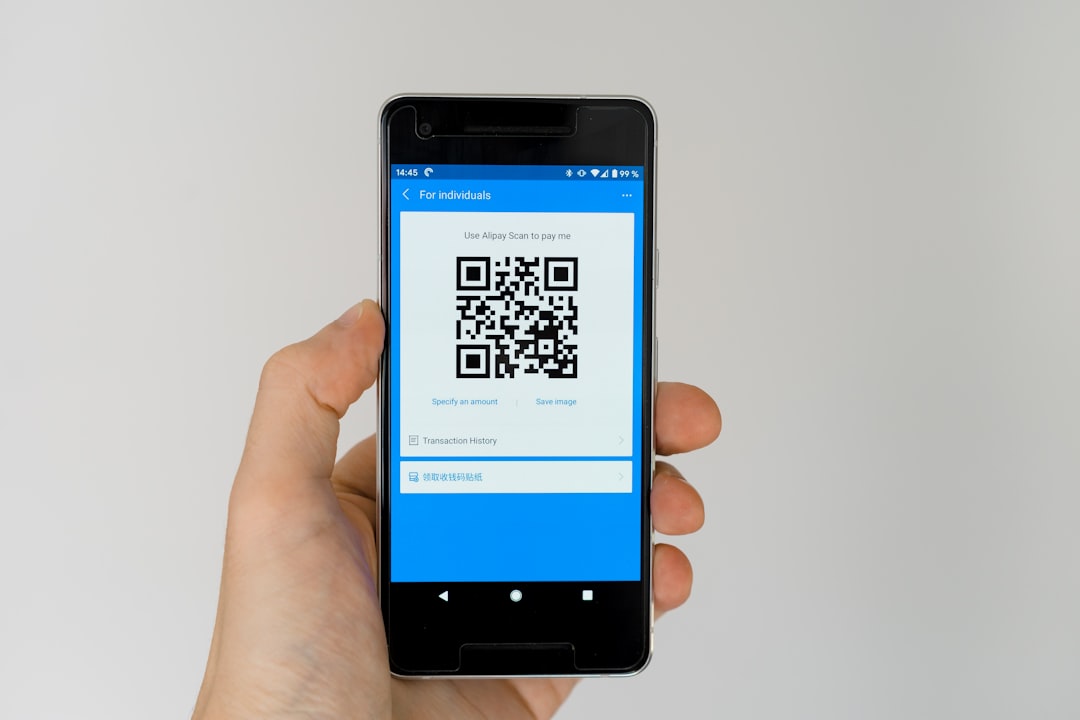
A Venmo QR code can make payment easier, especially for mobile customers. Instead of typing a username, the customer scans the code and opens the payment profile. This can reduce mistakes caused by misspelled usernames or similar account names.
When using a QR code, the invoice should still include the written Venmo username. The QR code is convenient, but the text version provides a backup. The invoice should also instruct the client to include the invoice number in the Venmo note so the payment can be matched correctly.
Best Practices for Professional Venmo Payment Requests
To make Venmo invoicing more professional, businesses should pay attention to clarity, consistency, and documentation.
- Use a business profile when appropriate: Commercial payments should be handled through the proper account type.
- Keep payment notes professional: The note should mention the invoice number and service, not vague or informal wording.
- Avoid mixing personal and business transactions: Separate records make bookkeeping easier.
- Use consistent invoice numbers: Sequential numbering helps track payments and identify missing invoices.
- Send receipts: After payment, a receipt or paid invoice can reassure the client.
- Check fees and policies: Venmo’s terms, business rules, and fees can change, so sellers should review current requirements.
- Protect client privacy: Payment notes should not reveal sensitive information.
Limitations and Considerations
Although Venmo is convenient, it may not be ideal for every business transaction. Larger companies, B2B clients, and organizations with formal procurement processes may require credit card payments, ACH transfers, purchase orders, or accounting system invoices. Some clients may also need tax forms, vendor records, or more formal receipts.
Venmo may also have transaction limits, fees for business payments, and policies regarding commercial use. A seller should understand these rules before relying on Venmo as a main payment method. For higher-value transactions, contracts and more formal payment systems may be advisable.
Another consideration is recordkeeping. A Venmo payment request alone may not provide enough information for tax reporting or dispute resolution. A generated invoice creates a clearer paper trail and can help explain income, client work, and completed services.
Who Benefits Most from a Venmo Invoice Generator?
A Venmo invoice generator is especially useful for individuals and small teams that need professional billing without heavy administrative work. This includes:
- Freelance designers, writers, editors, and consultants
- Private tutors, coaches, and instructors
- Local home service providers
- Event vendors and photographers
- Craft sellers and small product businesses
- Wellness professionals and independent appointment-based providers
- Community groups collecting fees or reimbursements
For these users, a clean invoice paired with a Venmo request can feel professional while remaining easy for customers to pay.
Conclusion
A Venmo invoice generator is less about replacing Venmo and more about improving the way payment requests are presented and tracked. Since Venmo is primarily a payment tool, businesses often need templates, invoice generators, spreadsheets, or accounting software to create the invoice itself. By adding Venmo usernames, QR codes, and clear payment instructions, a business can combine professional documentation with fast mobile payment collection.
The best method depends on how many invoices are sent, how formal the client relationship is, and how much reporting the business needs. For casual or low-volume billing, a simple PDF or spreadsheet may be enough. For growing businesses, a more complete invoicing and accounting workflow can provide better organization and long-term financial clarity.
FAQ
Can Venmo create invoices directly?
Venmo can send payment requests, but it is not a full traditional invoice generator. Most businesses create an invoice separately and include Venmo as the payment method.
What should be included on a Venmo invoice?
A Venmo invoice should include the seller’s information, client name, invoice number, date, due date, itemized charges, total amount due, Venmo username, and payment instructions.
Can a business put a Venmo QR code on an invoice?
Yes. A Venmo QR code can be added to an invoice so the customer can scan and pay more easily. The written Venmo username should also be included as a backup.
Is Venmo appropriate for business payments?
Venmo may be appropriate for certain business payments when used according to its current business policies. Sellers should review Venmo’s account rules, fees, and commercial payment requirements.
How can a payment be matched to the correct invoice?
The invoice should have a unique invoice number, and the client should be asked to include that number in the Venmo payment note. The business can then mark the invoice as paid in its records.
Is a Venmo payment request the same as a receipt?
No. A payment request asks for money, while a receipt confirms that payment has been received. After a Venmo payment is completed, the seller may send a paid invoice or receipt for documentation.
What is the easiest way to generate a Venmo invoice?
The easiest method is to use a reusable invoice template, add the services and total, include Venmo payment details, export the invoice as a PDF, and then send a matching Venmo request.