
Every business runs on processes, whether they are carefully documented or simply “the way we’ve always done things.” A customer places an order, an invoice is approved, a support ticket is escalated, a new employee is onboarded—each of these activities follows a sequence. Process management is the practice of making those sequences clear, efficient, measurable, and repeatable so organizations can work smarter instead of harder.
TL;DR: Process management is the discipline of designing, tracking, improving, and automating business workflows. For example, a company that reduces its invoice approval process from 10 days to 3 days can improve cash flow, reduce late fees, and free finance teams from manual follow-ups. In many organizations, even a 15% improvement in process efficiency can translate into significant savings across departments. The right business process tools help teams visualize work, assign responsibilities, and monitor performance in real time.
What Is Process Management?
Process management is the systematic approach to identifying, designing, executing, monitoring, and optimizing business processes. In simple terms, it helps organizations understand how work gets done and how that work can be improved.
A business process is a set of connected steps that leads to a specific outcome. For instance, the process of hiring a new employee may include writing a job description, posting the role, screening candidates, conducting interviews, sending an offer, and preparing onboarding materials. Process management asks important questions such as:
- Who is responsible for each step?
- What information or tools are needed?
- When should each step happen?
- Where do delays or errors occur?
- How can the process be improved or automated?
Good process management does not mean adding bureaucracy. In fact, its purpose is often the opposite: to remove confusion, duplication, bottlenecks, and unnecessary approvals.
Why Process Management Matters
Without process management, businesses often rely on informal knowledge. One employee knows how to handle refunds, another understands vendor approvals, and someone else has the “real” spreadsheet for project tracking. This may work for a small team, but it becomes risky as the organization grows.
When processes are undocumented or poorly managed, companies may experience:
- Missed deadlines and inconsistent results
- Higher operational costs
- Customer dissatisfaction
- Employee frustration and duplicated work
- Difficulty training new staff
- Limited visibility into performance
Process management creates structure. It helps teams see what is happening, where work is stuck, and what should happen next. This is especially valuable in fast-moving businesses where multiple departments depend on one another.
Common Examples of Process Management
Process management applies to almost every department. Some processes are customer-facing, while others happen behind the scenes. Here are a few practical examples:
1. Customer Support Process
A support request may move from initial submission to ticket categorization, agent assignment, investigation, response, resolution, and customer feedback. Process management ensures urgent tickets are prioritized, service-level agreements are met, and recurring issues are identified.
2. Sales Pipeline Management
Sales teams manage leads through stages such as qualification, demo scheduling, proposal, negotiation, and closing. A well-managed sales process helps managers forecast revenue, identify stalled deals, and improve conversion rates.
3. Employee Onboarding
Onboarding may include document collection, equipment requests, account setup, training schedules, policy acknowledgments, and manager check-ins. With process management, new hires get a consistent experience instead of waiting days for access or guidance.
4. Procurement and Vendor Approval
Purchasing goods or services often requires budget checks, vendor reviews, legal approval, purchase orders, and payment processing. Managing this process reduces unauthorized spending and speeds up purchasing decisions.
5. Content Publishing Workflow
Marketing teams often follow a process involving topic planning, writing, editing, design, compliance review, publishing, and performance tracking. Clear workflows keep campaigns moving and reduce last-minute confusion.
Key Benefits of Process Management
Strong process management can transform everyday operations. Its benefits are not limited to productivity; they also affect quality, compliance, customer experience, and employee morale.
- Greater efficiency: Teams spend less time searching for information, waiting for approvals, or repeating tasks.
- Improved consistency: Standardized processes help deliver the same quality of service every time.
- Better visibility: Managers can track progress, identify delays, and make data-based decisions.
- Reduced errors: Clear steps and automated checks lower the chance of mistakes.
- Scalability: Documented processes make it easier to train employees and expand operations.
- Stronger compliance: Regulated industries can maintain audit trails and approval records.
- Higher customer satisfaction: Faster, more reliable processes usually lead to better customer experiences.
One of the most overlooked benefits is employee confidence. When people understand their responsibilities and have the right tools, they can focus on meaningful work rather than chasing updates or guessing what comes next.

The Process Management Lifecycle
Process management is not a one-time project. It is a continuous cycle of improvement. Most organizations follow a lifecycle that includes the following stages:
- Identify: Choose the process that needs attention, such as expense approvals or customer onboarding.
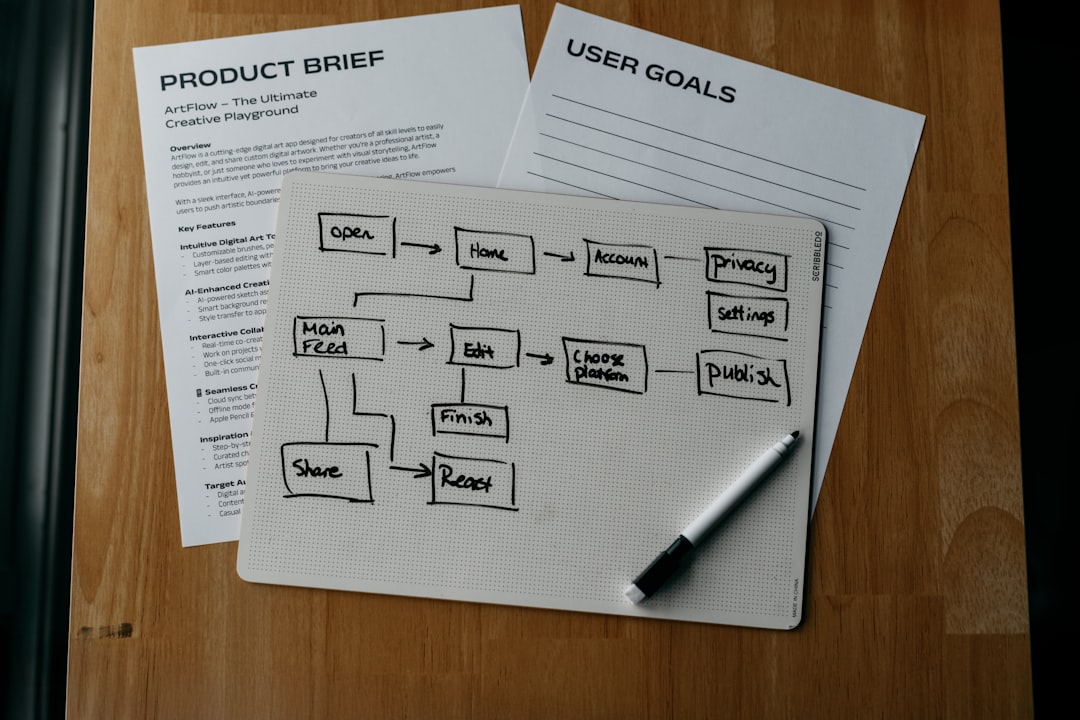
- Map: Document each step, decision point, person involved, and system used.
- Analyze: Look for bottlenecks, redundant tasks, delays, and quality issues.
- Improve: Redesign the workflow, remove unnecessary steps, clarify roles, or introduce automation.
- Implement: Roll out the improved process and train the people involved.
- Monitor: Track metrics such as cycle time, error rates, completion rates, and customer satisfaction.
- Optimize: Use data and feedback to make ongoing improvements.
This cycle reflects a simple truth: business conditions change. A process that worked well last year may become inefficient when customer volume increases, regulations shift, or new technology becomes available.
Business Process Tools: What They Do
Business process tools help organizations design, manage, automate, and measure workflows. These tools range from simple diagramming software to advanced business process management platforms.
Common capabilities include:
- Process mapping: Visualizing workflows with flowcharts, swimlanes, or diagrams.
- Task assignment: Giving specific responsibilities to team members.
- Workflow automation: Triggering actions automatically, such as sending reminders or routing approvals.
- Forms and data collection: Capturing structured information from employees, customers, or vendors.
- Dashboards and reporting: Monitoring performance metrics and identifying problem areas.
- Integrations: Connecting with email, CRM, accounting, HR, and project management systems.
- Audit trails: Recording who did what and when, which is useful for compliance.
For example, instead of manually emailing three managers for purchase approval, a workflow tool can route the request automatically based on amount, department, or vendor type. If a manager does not respond within 48 hours, the system can send a reminder or escalate the request.
Types of Business Process Tools
Different teams need different levels of complexity. Some organizations begin with lightweight tools, while others require enterprise-grade platforms.
- Diagramming tools: Best for mapping and documenting workflows visually.
- Project management tools: Useful for assigning tasks, tracking deadlines, and coordinating teams.
- Workflow automation tools: Designed to automate repetitive steps and approvals.
- Business process management suites: Comprehensive platforms for modeling, executing, monitoring, and optimizing processes.
- Robotic process automation tools: Used to automate repetitive digital tasks, such as copying data between systems.
- Collaboration platforms: Helpful for communication, document sharing, and process coordination.

How to Get Started With Process Management
The best way to start is not by trying to fix everything at once. Choose one process that is important, visible, and painful. It might be customer complaints, contract approvals, or monthly reporting. Then gather the people who actually perform the work and map the process as it exists today.
Once the current process is visible, ask: Which steps add value? Which steps create delays? Where do errors happen? What can be automated? From there, create a better version, test it, and measure the results.
Useful metrics may include:
- Average completion time
- Number of handoffs
- Error or rework rate
- Cost per transaction
- Customer satisfaction score
- Employee workload or utilization
Final Thoughts
Process management is about bringing clarity to the way work happens. It turns scattered tasks into structured workflows, hidden delays into measurable problems, and manual routines into opportunities for automation. Whether a business is small or enterprise-level, managing processes well can lead to faster operations, better customer experiences, and stronger decision-making.
In a competitive environment, organizations cannot afford to let important work depend on memory, guesswork, or disconnected spreadsheets. With the right mindset and the right business process tools, process management becomes more than an operational practice—it becomes a foundation for continuous improvement.