Opening a Surface Book 2 box is a little different from unboxing a typical laptop. Microsoft designed the Surface Book line as a premium, detachable 2-in-1 device, so the packaging is minimal, tidy, and focused on the essentials. If you are buying one new, refurbished, or second-hand, knowing exactly what should be inside the box can help you confirm whether you have received a complete package.
TLDR: The Surface Book 2 box usually includes the Surface Book 2 device, a Surface Connect power supply, and basic printed documentation such as setup, safety, and warranty information. The Surface Pen is generally not included with the Surface Book 2, unlike some earlier Surface bundles. Accessories such as a mouse, dock, sleeve, adapters, or extra cables are typically sold separately.
What You Should Expect Inside the Surface Book 2 Box
The Surface Book 2 was sold in multiple configurations, including 13.5-inch and 15-inch models, with different processors, storage capacities, RAM options, and graphics setups. While the internal specifications vary widely, the core contents of the box are usually quite consistent. Microsoft keeps the unboxing experience clean and streamlined, with the device presented first and the accessories tucked neatly underneath or beside it.
In most standard retail packages, you should find the following:
- Surface Book 2 laptop with the display attached to the keyboard base
- Surface Connect power supply, with wattage depending on the model
- AC power cord, depending on region and charger style
- Quick start guide or setup card
- Safety, warranty, and regulatory documents
That is the basic package. It may sound sparse, but this is normal for the Surface Book 2. Microsoft expects many users to choose their own accessories separately, especially the Surface Pen, Surface Dock, external monitors, protective cases, and USB-C adapters.

The Main Item: The Surface Book 2 Itself
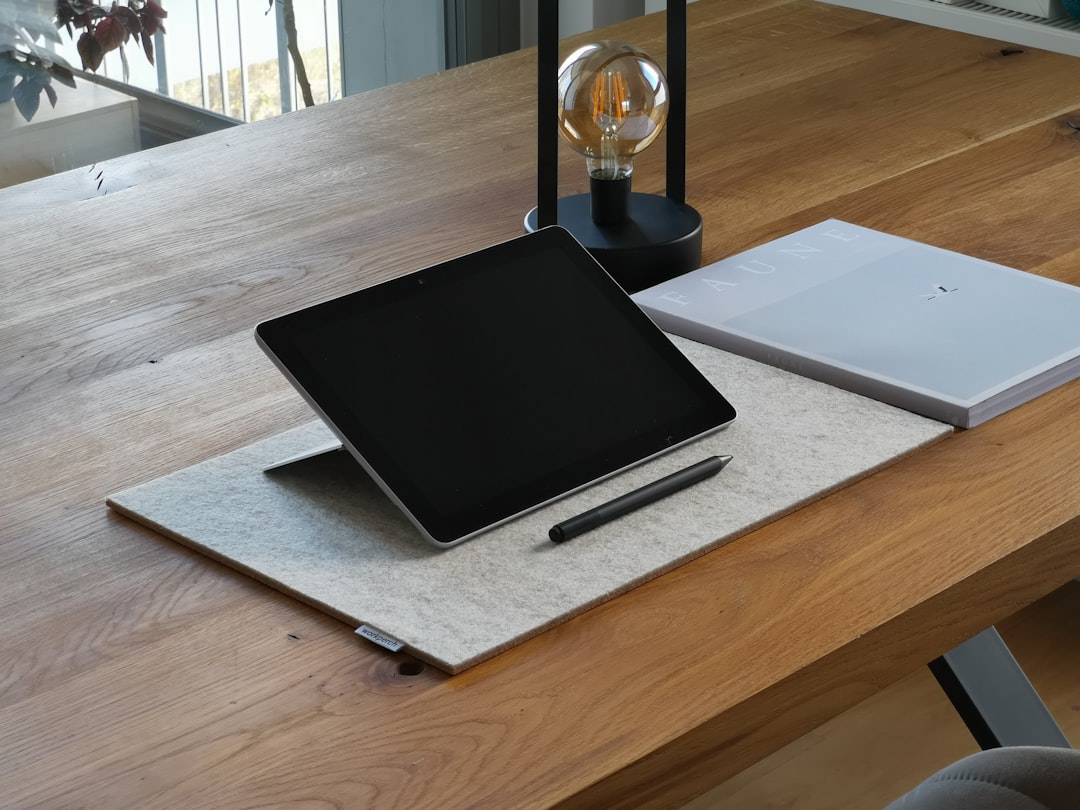
The star of the box is, of course, the Surface Book 2. It should arrive as a fully assembled unit, meaning the tablet portion, often called the Clipboard, is already attached to the keyboard base. This is important because the Surface Book 2 is not just a laptop with a touchscreen. Its display can detach from the base and be used as a tablet, while the base contains the keyboard, trackpad, battery, and, in certain models, dedicated NVIDIA graphics hardware.
When you first lift the device out of the box, you will likely notice the magnesium alloy body and the distinctive dynamic fulcrum hinge. This hinge gives the Surface Book 2 its recognizable segmented look and allows the display to sit securely at laptop angles while still being detachable. The device is usually wrapped in protective film or a soft covering to prevent scratches during shipping.
Before powering it on, it is worth checking the exterior for any visible damage, especially if you purchased the device refurbished or used. Inspect the corners, hinge gaps, display glass, keyboard deck, and charging port. A new or properly refurbished Surface Book 2 should feel solid, with no loose hinge movement beyond the normal flex of the design.
The Power Supply: Surface Connect Charger
The most important accessory in the box is the Surface Connect power supply. This charger connects magnetically to the Surface Book 2 through the proprietary Surface Connect port. The magnetic connector is convenient because it attaches smoothly and can detach safely if the cable is pulled accidentally.
The exact charger included may vary depending on your Surface Book 2 model. A smaller 13.5-inch configuration may come with a lower-wattage adapter, while models with dedicated graphics or the 15-inch version generally require a higher-wattage power supply. Some Surface Book 2 chargers also include a USB-A charging port on the power brick, which can be used to charge a phone or small accessory while the laptop is plugged in.
This charger is not just a basic cable; it is part of the overall Surface experience. The Surface Book 2 can also charge through USB-C in certain scenarios, but the included Surface Connect charger is the supported, reliable option that users are expected to use regularly. If you are buying a used Surface Book 2 and the seller does not include the original charger, you should factor the cost of a replacement into your purchase.
Printed Setup and Safety Documents
Like most premium laptops, the Surface Book 2 includes minimal paperwork. You should not expect a thick manual. Instead, Microsoft typically includes a small quick start guide or setup card with basic instructions. This may show where the power button is, how to connect the charger, and how to begin Windows setup.
You will also usually find safety, warranty, and regulatory information. These documents cover things like battery safety, proper usage, wireless compliance, and regional legal notices. They are not the most exciting part of the unboxing, but they are part of the standard package and can be useful if you need warranty details later.
Tip: If you are buying a used Surface Book 2, missing paperwork is not necessarily a warning sign. Many owners throw away the documents after setup. However, missing the charger or receiving a mismatched power adapter is more significant.
Is the Surface Pen Included?
One of the most common questions about the Surface Book 2 box is whether it includes the Surface Pen. In most cases, the answer is no. While earlier Surface devices and some special bundles included a pen, the Surface Book 2 was generally sold without one as a standard included accessory.
This can surprise buyers because the Surface Book 2’s display supports pen input and is excellent for drawing, note-taking, document markup, and creative work. However, pen support does not mean the pen is automatically in the box. Microsoft typically sells the Surface Pen separately, allowing users to choose a color or skip it entirely if they do not need stylus input.
If a seller advertises a Surface Book 2 as coming with a Surface Pen, that is usually an added accessory rather than a guaranteed factory-box item. It is still a nice bonus, but you should confirm that the pen works, has a good battery, and is compatible with the Surface Book 2.
What Is Not Included in the Box?
The Surface Book 2’s premium price can make some buyers assume that Microsoft includes a wide range of extras. In reality, the included contents are fairly basic. You should not normally expect these items in a standard retail box:
- Surface Pen
- Surface Mouse or keyboard accessories
- Surface Dock
- USB-C to HDMI or USB-C to DisplayPort adapter
- Protective case, sleeve, or screen protector
- Extra charging cable
- Recovery drive or installation disc
- Office subscription or paid software license, unless part of a special promotion
This means that if you plan to use the Surface Book 2 as a full desktop replacement, you may need to budget for additional accessories. For example, connecting to external monitors may require adapters, and using the device for drawing will require purchasing a Surface Pen separately.
Unboxing Experience and Packaging Layout
Microsoft’s Surface packaging is designed to feel refined rather than crowded. The box is usually sturdy, clean, and white, with product imagery and simple branding. Once opened, the Surface Book 2 is typically positioned prominently at the top. The charger and documents are stored in separate compartments.
The device should feel well protected inside the box. Because the Surface Book 2 has a detachable display and a precision hinge, good packaging matters. The box helps keep the hinge, screen, and keyboard from shifting during transportation.
For collectors or resale buyers, the original box can add value. A complete package with the original charger, box, and paperwork often feels more trustworthy than a loose device with a third-party adapter. That does not always mean the device is better, but it does suggest that the previous owner may have taken care of the original accessories.
Model Differences: Does the Box Change?
The main difference between Surface Book 2 packages is usually the power adapter. The 13.5-inch and 15-inch versions can have different power requirements, especially if the model includes dedicated NVIDIA graphics. A higher-performance configuration needs more power under load, so the charger may be larger or rated for higher wattage.
However, the general contents remain the same. Whether the device has 8 GB or 16 GB of RAM, 256 GB or 1 TB of storage, integrated graphics or dedicated graphics, the box typically includes the laptop, charger, and documentation. Microsoft does not usually add extra accessories based only on storage or processor configuration.
If you are comparing listings, be careful with phrases like “complete in box” or “original accessories included.” Ask the seller to show photos of the charger, the inside of the box, and the exact model number if possible. This helps you verify whether the package matches the advertised Surface Book 2 version.

What to Check After Unboxing
Once everything is out of the box, there are a few quick checks you should perform before getting too comfortable. First, plug in the Surface Connect charger and confirm that the charging light turns on. Then power on the Surface Book 2 and begin the Windows setup process.
After Windows starts, check the following:
- Battery status: Confirm that both the tablet battery and base battery are detected.
- Keyboard and trackpad: Test typing, clicking, gestures, and backlighting.
- Detachment mechanism: Use the detach key to confirm the screen releases properly.
- Touchscreen: Tap, swipe, and test multi-touch response.
- Ports: Check USB ports, USB-C, headphone jack, SD card slot, and Surface Connect.
- Camera and speakers: Open the camera app and play audio to verify both work.
These checks are especially important for refurbished or second-hand units. The Surface Book 2 is a sophisticated machine, and its detachable design means there are more components to test than on a standard laptop.
Final Thoughts
The Surface Book 2 box is simple but purposeful. You get the device, the correct Surface Connect power supply, and the basic documentation needed to get started. What you generally do not get is a Surface Pen, dock, mouse, adapters, or protective accessories.
For new buyers, this means you should plan your accessory purchases around how you intend to use the device. If you are an artist or note-taker, a Surface Pen is almost essential. If you want a desk setup, a dock or USB-C adapters may be necessary. If you travel often, a sleeve or protective case is a smart addition.
In short, the Surface Book 2 unboxing experience is elegant, minimal, and focused on the core product. The box gives you everything required to power on and start using the machine, but the best Surface Book 2 setup often comes from choosing the right extras afterward.