
Social media managers wear a lot of hats. Some are cute. Some are on fire. You plan posts. You write captions. You reply to comments. You check trends. You report numbers. You also try to sound fresh every single day. That is a lot. The good news is simple. AI prompts can save you hours. They help you move faster without turning your brand into a boring robot.
TLDR: AI prompts help social media managers create content faster, plan better, and stay sane. Use prompts for captions, calendars, hashtags, replies, reports, and ideas. The best prompts include your goal, audience, platform, tone, and format. Think of AI as your quick helper, not your replacement.
Why AI Prompts Are a Social Media Superpower
A prompt is just an instruction. You give it to an AI tool. Then the tool gives you ideas, drafts, lists, or plans. Simple.
But a good prompt is not “write a post.” That is too vague. It is like asking a chef to “make food.” You may get soup. You may get cake. You may get soup cake. Nobody wants that.
A strong prompt gives clear details. It tells AI what you need. It says who the post is for. It explains the tone. It gives the platform. It may give examples.
For social media managers, this is gold. You can stop staring at a blank page. You can create drafts in seconds. You can test hooks fast. You can turn one idea into ten posts.

The Simple Prompt Formula
Here is an easy formula you can use every day:
- Role: Tell AI who it should act like.
- Goal: Explain what you want.
- Audience: Say who you are talking to.
- Platform: Name the social platform.
- Tone: Pick the voice.
- Format: Say how the answer should look.
Here is the formula in action:
“Act as a social media strategist. Create 5 Instagram caption ideas for a small bakery. The audience is busy parents who want fun birthday cakes. Use a friendly, playful tone. Keep each caption under 120 words. Add a call to action.”
That is clear. That is useful. That will save time.
Prompts for Fast Content Ideas
Ideas can be the hardest part. Some days your brain feels like a loading screen. AI can help with that.
Try this prompt:
“Give me 20 social media post ideas for a brand that sells eco friendly skincare. The audience is women aged 25 to 40 who care about clean beauty. Mix education, humor, product tips, customer stories, and trends. Make the ideas simple and easy to film.”
This helps you fill a calendar fast. You do not need to use every idea. Pick the best ones. Edit them. Add your own spark.
Another good prompt:
“Create 10 content ideas from this theme: saving time in the kitchen. Make them suitable for TikTok and Instagram Reels. Include a hook, video idea, and caption angle for each.”
Now you have hooks. You have video concepts. You have caption angles. That is a full idea bank in one minute.
Prompts for Captions That Do Not Sound Like Cardboard
Captions matter. They add context. They build trust. They make people click, comment, save, or buy.
But writing captions all day can get boring. AI can help you make them sharper.
Use this prompt:
“Write 5 caption options for an Instagram post about our new iced coffee flavor. The brand voice is fun, witty, and casual. Keep the captions short. Add one emoji per caption. Include a soft call to action.”
Want a different style? Ask for it.
“Rewrite this caption in 3 tones: funny, warm, and bold. Keep the message the same. Make each version under 100 words.”
This is great for testing. You may think the funny version works best. Your manager may like the warm one. Your audience may love the bold one. Now you have options.
Prompts for Hooks That Stop the Scroll
The hook is the first line. It is the “hey, look at this” moment. On video, it may be the first three seconds. On a caption, it may be the opening sentence.
Bad hook: “Here are some tips.”
Better hook: “Stop making this mistake with your morning routine.”
Try this prompt:
“Give me 25 scroll stopping hooks for a short video about meal planning for beginners. Make them clear, punchy, and friendly. Avoid clickbait. Keep each one under 12 words.”
You can also ask AI to sort them:
“Rank these hooks from strongest to weakest for Instagram Reels. Explain why in one short sentence each.”
That helps you choose faster. It also helps you learn what makes a hook strong.
Prompts for Monthly Content Calendars
A content calendar keeps everything in order. It is your map. Without it, posting feels like running through fog while holding soup.
AI can create a first draft for your calendar. Then you can adjust dates, campaigns, holidays, and team needs.
Try this prompt:
“Create a 30 day social media content calendar for a fitness studio. Post 5 times per week on Instagram and Facebook. Include content pillars: workouts, member stories, trainer tips, promotions, and motivation. Give me the date, post type, topic, caption idea, and call to action.”
You can make it even more useful:
“Add 3 Instagram Story ideas for each week. Include polls, questions, and behind the scenes ideas.”
Now your calendar has feed posts and Stories. Nice.

Prompts for Turning One Post Into Many
This is one of the best time saving tricks. Do not create everything from scratch. Repurpose.
One blog post can become many pieces of content. One webinar can become clips. One customer review can become a post, a Story, and a short video.
Use this prompt:
“Turn this blog post into 10 social media posts. Create 3 LinkedIn posts, 3 Instagram captions, 2 X posts, and 2 short video scripts. Keep the same core message. Make each post platform appropriate.”
Or try:
“Take this customer testimonial and create 5 social media post ideas. Include one quote graphic, one short video script, one carousel idea, one Story idea, and one caption.”
This saves a lot of time. It also keeps your message consistent.
Prompts for Video Scripts
Short videos are powerful. They can also be stressful. What do you say? Where do you start? How do you end?
AI can draft a simple script. You can then make it sound natural.
Try this prompt:
“Write a 30 second TikTok script for a coffee shop showing how our seasonal latte is made. Include a strong hook, 3 quick scenes, voiceover text, on screen text, and a call to action. Keep it fun and cozy.”
Need a face to camera video?
“Write a 45 second face to camera script for a business coach explaining why small business owners should plan content in batches. Make the tone friendly and encouraging. Include pauses and simple lines.”
Video scripts do not need to be perfect. They need to get you moving. You can record. You can tweak. You can laugh at yourself. That is allowed.
Prompts for Hashtags and Keywords
Hashtags are not magic beans. But they can still help. They can support discovery. They can group content. They can show context.
Use AI to find a mix of broad and niche hashtags.
“Suggest 20 hashtags for an Instagram post about beginner yoga at home. Include a mix of broad, niche, and community hashtags. Avoid spammy tags. Group them by category.”
You can also ask for keywords:
“Give me 15 search friendly keywords for a Pinterest pin about budget friendly home office ideas. Include short keywords and longer phrases.”
This is helpful for platforms where search matters. That includes YouTube, Pinterest, TikTok, and Instagram.
Prompts for Community Replies
Replying to comments is important. It builds community. It shows people there is a human behind the brand.
But some replies take time. AI can help you draft answers. Always review them. You do not want a weird robot reply to a real customer.
Try this prompt:
“Write 5 friendly replies to this Instagram comment: ‘I love this product but I wish it came in blue.’ The brand tone is warm, helpful, and casual. Keep replies short.”
For complaints, be extra careful.
“Draft a calm and helpful reply to this customer complaint. Apologize without sounding fake. Ask them to send us a direct message with their order details. Keep it under 60 words.”
AI can give you a draft. You add care. You add the human touch.
Prompts for Reports That Do Not Make You Cry
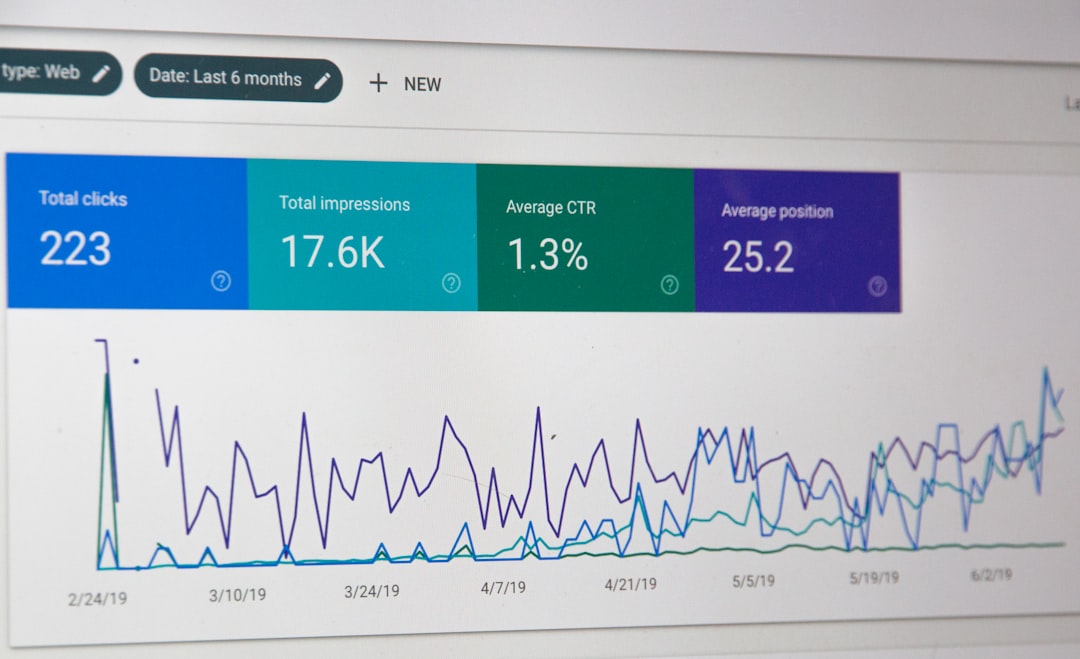
Reports can be boring. Numbers are useful, but they can feel like homework. AI can help you explain results in plain language.
Use this prompt:
“Summarize these social media results for a monthly report. Highlight wins, weak spots, and next steps. Use simple language. Create 5 bullet points for leadership.”
You can also ask for insight:
“Look at these post results. Identify the top 3 patterns. Tell me what content we should create more of next month.”
Be sure your data is accurate. AI can help explain. It should not invent numbers. Give it real data. Check the output.
Prompts for Brand Voice
Brand voice keeps your content consistent. It makes your brand feel familiar. It also helps teams write in the same style.
Try this prompt:
“Create a brand voice guide for a cheerful pet supply company. The voice should be playful, clear, and trustworthy. Include words to use, words to avoid, sample captions, and reply examples.”
Already have copy you like?
“Analyze these 5 captions. Describe the brand voice in simple terms. Then create rules for writing future posts in the same style.”
This prompt is great for teams. New people can learn the voice faster. Freelancers can match your tone better. Everyone wins.
Prompts for Trend Ideas
Trends move fast. Very fast. Blink and the audio is old. Still, you do not need to jump on every trend. Pick the ones that fit your brand.
Use AI to adapt trends in smart ways.
“Give me 10 ways a local bookstore could use current social media trends without feeling forced. Keep ideas simple, low budget, and easy to film in store.”
Or:
“Take this trending phrase and create 5 brand safe post ideas for a financial advisor. Make them helpful, not silly.”
The key phrase is brand safe. Not every trend belongs on your page. If it feels wrong, skip it.
Prompts for Approval Friendly Content
Some teams need approvals. Many approvals. So many approvals. AI can help you prepare cleaner drafts before they go to your boss or client.
Try this prompt:
“Review this caption for clarity, grammar, brand tone, and risk. Suggest edits. Keep the message friendly and professional.”
Another useful one:
“Create 3 safer versions of this bold caption. Keep the energy, but reduce any wording that could be misunderstood.”
This can save rounds of edits. It can also help you spot problems early.
Tips to Get Better AI Results
AI is fast. But it needs direction. Better input means better output.
- Be specific. Name the platform, audience, and goal.
- Give examples. Show captions or posts you like.
- Set limits. Ask for word count, tone, or format.
- Ask for options. Do not stop at one answer.
- Edit everything. Add your human brain. It is still useful.
- Save your best prompts. Build a prompt library.
Think of prompts like recipes. Once you find a good one, keep it. Then change the ingredients for each campaign.
A Mini Prompt Library You Can Copy
Here are quick prompts you can use today:
- “Write 10 Instagram caption ideas for [brand] about [topic]. Use a [tone] tone. Add a call to action.”
- “Create 5 carousel post ideas that teach [audience] how to [goal]. Include slide titles.”
- “Turn this long caption into a short caption, a Story, and a Reel script.”
- “Write 15 hooks for a video about [topic]. Make them clear, short, and not clickbait.”
- “Create a weekly content plan for [brand]. Include 3 posts, 2 Stories, and 1 short video.”
- “Rewrite this post to sound more [friendly, bold, funny, expert, simple].”
- “Suggest 10 questions we can ask our audience to increase comments.”
- “Summarize this campaign performance in simple bullet points.”
What AI Should Not Do
AI is helpful. It is not your whole strategy. It does not know your audience like you do. It does not sit in your meetings. It does not understand every tiny brand rule unless you tell it.
Do not let AI post without review. Do not let it handle sensitive replies alone. Do not copy every answer word for word. And please, do not let it make your brand sound like a toaster in a suit.
Use AI for speed. Use yourself for taste, care, and strategy.
Final Thoughts
Social media work is busy. There are posts to plan, captions to write, comments to answer, and reports to build. AI prompts can make all of that easier. They help you start faster. They help you create more options. They help you spend less time stuck.
The trick is to be clear. Tell AI what you need. Give it context. Ask for choices. Then edit with your human touch.
With the right prompts, you can save hours each week. You can make better content. You can even take a real lunch break. Imagine that. A sandwich enjoyed in peace. Truly revolutionary.