Picking a digital board tool can feel like choosing a snack in a giant supermarket. There are too many options. Some look tasty. Some hide the price. Some promise magic. Boardisk is one of those tools that aims to help teams plan, share, and organize ideas in one visual space.
TLDR: Boardisk is a simple visual collaboration tool for teams that need boards, notes, files, and project planning in one place. It is best for small teams, teachers, creators, and remote workers who want less chaos. For example, a 6 person marketing team could use one Boardisk workspace to plan 12 social posts, attach 20 images, and cut meeting time by about 25%. Pricing can vary, so check the official site before you buy.

What Is Boardisk?
Boardisk is a cloud based workspace built around boards. Think of it as a mix of a whiteboard, a file hub, and a light project planner. You can use it to collect ideas, organize tasks, store useful files, and work with other people.
It is not meant to feel scary. That is the good part. You do not need to be a project manager with a giant spreadsheet and three cups of coffee. You can open a board, add items, move things around, and invite your team.
It works well for brainstorming, content planning, simple project tracking, teaching, and team discussions. If your work often starts with the words “Let’s put this somewhere”, Boardisk may be worth a look.
Main Features
Boardisk is built around simple visual work. Here are the features that matter most.
- Visual boards: Create boards for projects, ideas, lessons, campaigns, or workflows.
- Drag and drop organization: Move notes, files, and tasks around without fighting the interface.
- File storage: Keep documents, images, links, and other materials close to the project.
- Team collaboration: Invite others to view, edit, or comment on boards.
- Task planning: Turn ideas into action items and track what needs to happen next.
- Simple sharing: Share boards with teammates, clients, students, or partners.
- Cloud access: Work from different devices without carrying files around like it is 2009.
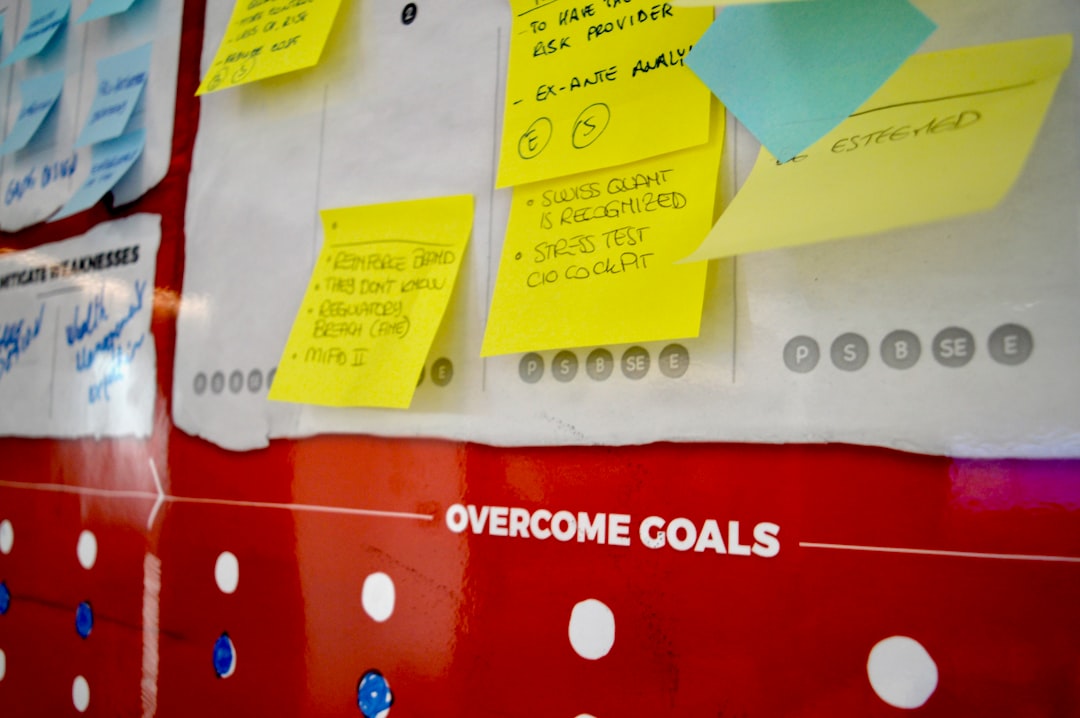
The best feature is the layout. Boardisk makes things feel visible. You can see the project shape. That matters. Many teams lose time because their ideas are trapped in chats, emails, folders, and random sticky notes. Boardisk tries to put them in one place.
How Easy Is It To Use?
Boardisk is fairly easy to understand. You create a board. You add content. You arrange it. You share it. Done.
That is a big win for beginners. Some productivity tools feel like spaceship control panels. Boardisk feels more like a clean desk. Maybe not a perfect desk. But at least you can find your coffee.
New users should be able to create a basic board in a few minutes. Teams may need a little time to agree on rules. For example, who creates boards? Who names files? Who checks tasks? Tools do not fix messy habits by themselves. Sad but true.
Boardisk Pricing
Boardisk pricing can depend on the plan, team size, and features you need. The exact numbers may change, so it is smart to check the official pricing page before making a decision.
In general, tools like Boardisk often use a few common pricing levels:
- Free or trial plan: Good for testing the tool. Usually includes limits on boards, storage, or users.
- Personal plan: Best for freelancers, students, or solo creators who need more space.
- Team plan: Made for groups that need sharing, permissions, and stronger collaboration.
- Business or enterprise plan: Better for larger companies that need admin controls, support, and security options.
If you are comparing value, do not only look at the monthly price. Look at what is included. Ask these questions:
- How many boards can I create?
- How much storage do I get?
- Can guests or clients join?
- Are permissions included?
- Is support fast enough?
- Can I export my work if I leave?
A cheap plan is not cheap if your team outgrows it in two weeks. A more expensive plan may be worth it if it saves hours every month.
Who Should Use Boardisk?
Boardisk is a good fit for people who like visual planning. It is also useful for teams that want a lighter tool than a full project management platform.
It can work well for:
- Marketing teams planning campaigns, calendars, and assets.
- Teachers organizing lessons, resources, and group activities.
- Design teams collecting references, feedback, and deliverables.
- Startup teams mapping ideas, tasks, and product notes.
- Freelancers managing client projects in a clear visual way.
It may not be the best choice if you need advanced reporting, deep automation, time tracking, invoicing, or complex software development workflows. In that case, a heavier tool may be better.
Pros And Cons
No tool is perfect. Even the shiny ones. Here is the simple version.
Pros
- Easy to understand: The board format feels natural.
- Good for visual thinkers: You can see ideas and files in context.
- Useful for collaboration: Teams can work in one shared space.
- Flexible: Use it for projects, teaching, planning, or brainstorming.
- Less clutter: It can reduce tool hopping and lost files.
Cons
- Pricing may need checking: Public pricing details can change.
- May lack advanced features: Power users may want more automation or analytics.
- Team discipline is still needed: A board can become messy if nobody maintains it.
- Not always ideal for complex projects: Big teams may need stronger management tools.
Best Boardisk Alternatives
If Boardisk is not quite the one, do not panic. There are many fish in the productivity sea. Some even have nice dashboards.
- Miro: A popular online whiteboard for brainstorming, workshops, diagrams, and team sessions. Great for visual collaboration.
- FigJam: A fun whiteboard tool from Figma. Best for design teams, product teams, and quick idea sessions.
- Trello: A simple card based project tool. Good for task tracking, content calendars, and small team workflows.
- Notion: A flexible workspace for notes, databases, docs, and projects. Great if you like building custom systems.
- ClickUp: A more powerful project management tool. Better for teams that need tasks, docs, goals, and reporting.
- Asana: A polished task and project tool for teams that want timelines, workflows, and accountability.
- Microsoft Whiteboard: A simple option for teams already using Microsoft 365.

Boardisk vs Alternatives
Boardisk is best when you want a simple board based workspace. It is less intimidating than many big project tools. It is more organized than a messy chat thread. That is its sweet spot.
Choose Boardisk if you want visual planning, file grouping, and easy team sharing.
Choose Miro or FigJam if your main need is workshops, diagrams, and creative brainstorming.
Choose Trello if your work is mostly task cards moving through stages like To Do, Doing, and Done.
Choose Notion if you want a flexible knowledge base and do not mind building your own setup.
Choose ClickUp or Asana if your team needs advanced project tracking, dashboards, deadlines, and reporting.
Final Verdict
Boardisk is a friendly option for teams that want to organize work visually. It is simple, practical, and easy to explain. That is valuable. A tool people actually use is better than a fancy one people avoid.
Its biggest strength is clarity. Boards help teams see what is happening. Files, tasks, and ideas can live together. That can save time and reduce confusion.
Its main weakness is that it may not replace a full project management suite for larger or more complex teams. Also, pricing details should be reviewed before you commit.
Bottom line: Boardisk is worth trying if your team needs a clean visual workspace without too much fuss. Start with a small project. Test it for one week. If your team spends less time asking “Where is that file?”, you may have found a winner.