Use Figma as the home for design work, and use Miro as the room where messy thinking happens. That is the simple rule for most integrated design projects.
TLDR: Figma is best for screens, prototypes, design systems, comments, and handoff. Miro is best for workshops, user journeys, research maps, sticky notes, and early planning. For example, a team of 8 people building a checkout flow might spend 70% of project time in Figma and 20% in Miro, with the rest in Jira, Slack, or Notion. If every idea lives in one tool, people get confused fast.
What is an integrated design project?
An integrated design project is not just “make the screens pretty.” It connects research, strategy, UX, UI, content, testing, dev handoff, and feedback. Many people touch it. Designers, product managers, developers, writers, clients, and users may all join in.
That is why tool choice matters. A bad setup creates chaos. Files get lost. Feedback hides in five places. Someone updates the wrong version. Then everyone says, “Wait, which one is final?” Pain.
The goal is simple. Put each kind of work in the tool that fits it best.
Figma: the design production hub
Figma is built for interface design. It shines when your team needs to create real product screens. Websites. Apps. Dashboards. Components. Prototypes. Design systems.
Figma is strong because everyone can work in the same file. You can see cursors moving. You can comment on exact buttons. You can test flows with prototypes. You can inspect spacing, colors, and CSS-like values.
Use Figma for:
- Wireframes that need to become real screens.
- High fidelity UI design.
- Clickable prototypes.
- Design systems and shared components.
- Developer handoff.
- Visual feedback on exact elements.
Figma also helps with control. Components keep buttons, cards, and menus consistent. Styles keep fonts and colors tidy. Version history saves you when someone breaks the file. We have all been there.
The catch is that Figma can get messy when people use it like a brainstorming wall. Huge FigJam-style spaces can work, but a normal Figma design file packed with random sticky notes, rough maps, screenshots, and comments starts to feel like a junk drawer with zoom controls.
Miro: the thinking and workshop space
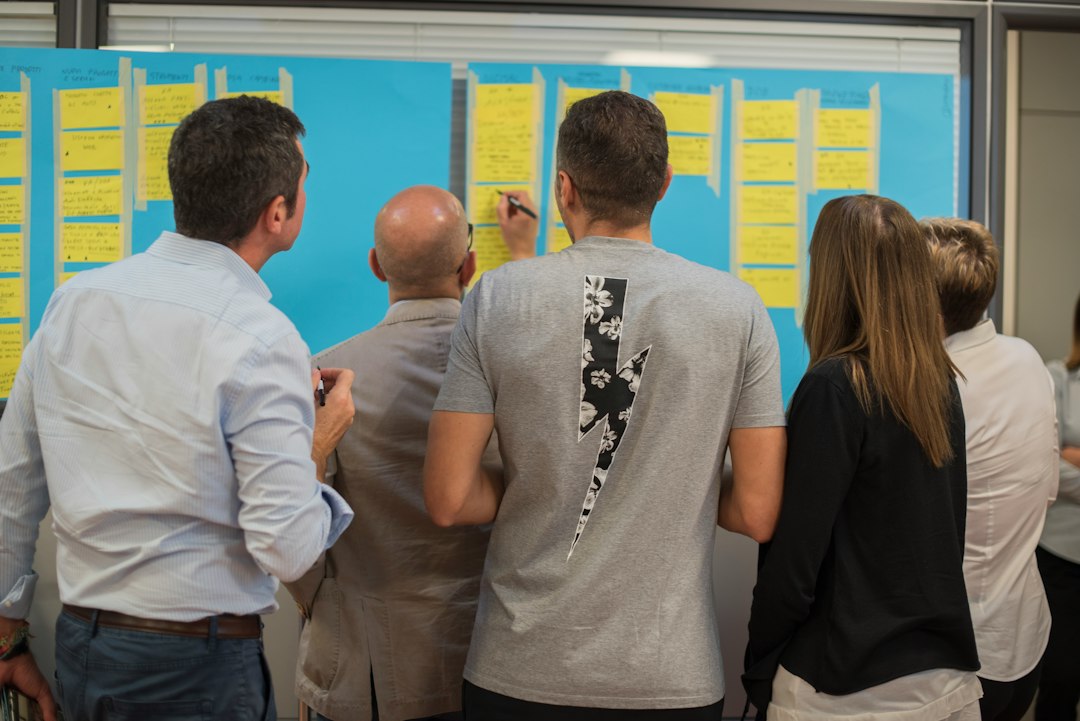
Miro is better when the team does not know the answer yet. It is a giant online board. It feels like a digital wall full of sticky notes, arrows, boxes, and sketches.
Miro is great for early project work. You can map problems. Sort research. Run workshops. Build user journeys. Vote on ideas. Group themes. Create service blueprints. It is less about pixel polish. It is more about shared thinking.
Use Miro for:
- Kickoff workshops.
- User journey maps.
- Research synthesis.
- Affinity mapping.
- Feature prioritization.
- Product strategy boards.
- Retrospectives.
Miro feels open and playful. That helps teams speak up. A developer can add a note. A client can vote. A researcher can group insights. Nobody needs to know layers, frames, or auto layout.
Honestly, it feels like Miro was made for the part of the project where nobody agrees yet. That is useful. It is also a little dangerous. Boards can become endless museums of old sticky notes. Expect to waste time if nobody cleans the board after each workshop.
Image not found in postmetaFigma vs Miro: the quick comparison
Here is the simple version.
- Best for finished design: Figma.
- Best for messy thinking: Miro.
- Best for prototypes: Figma.
- Best for workshops: Miro.
- Best for developer handoff: Figma.
- Best for research mapping: Miro.
- Best for design systems: Figma.
- Best for team voting: Miro.
Figma is like the studio table where the final product gets built. Miro is like the room where the team argues with sticky notes until the idea makes sense.
Both tools are good. They just solve different problems.
Where FigJam fits
FigJam is Figma’s whiteboard tool. It sits between Figma and Miro. It is simple, friendly, and easy to use if your team already lives in Figma.
FigJam works well for light workshops. It is useful for quick brainstorming, planning flows, and design critiques. You can move ideas from FigJam into Figma with less friction.
But Miro still feels stronger for complex boards. Big research maps. Large service design sessions. Multi-step templates. Client workshops with many people. Miro has more depth in that area.
A good rule: use FigJam for simple team thinking. Use Miro for heavy workshop work.
Other tools that help manage the project
Design projects need more than boards and screens. You also need tasks, docs, chat, files, and decisions. This is where other tools join the party.
Jira
Jira is strong for product and engineering teams. Use it for tickets, sprints, bugs, and release tracking. Designers may not love it. Still, developers often need it.
Asana or Trello
Asana and Trello are easier for task tracking. They work well for marketing sites, brand projects, smaller product teams, and client work. Trello is very visual. Asana gives more structure.
Notion
Notion is great for notes and project knowledge. Store briefs, decisions, meeting notes, research summaries, and links. It can become the project wiki.
Slack or Microsoft Teams
Slack and Microsoft Teams are for quick chat. Keep decisions out of random threads when possible. Chat is fast, but it forgets things. Copy final decisions into Notion, Jira, or the design file.
Google Docs
Google Docs is still excellent for writing. Use it for content drafts, research plans, interview scripts, and stakeholder notes.
A simple workflow that actually works
Try this setup for a medium design project.
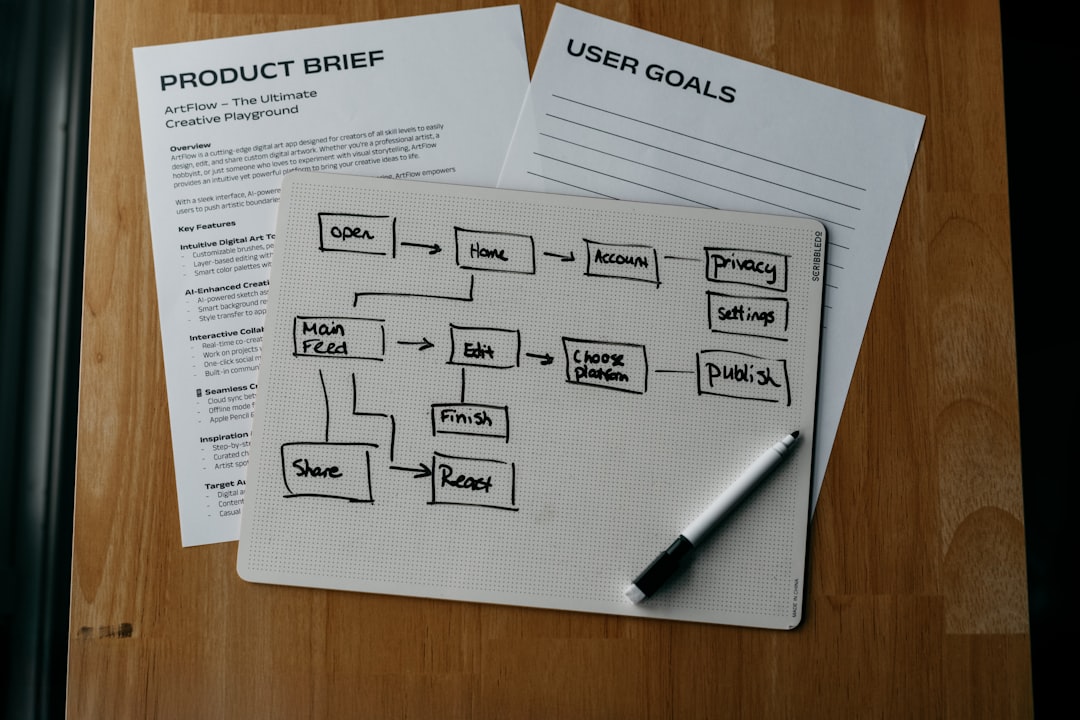
- Start in Notion. Create the project brief, goals, roles, links, and timeline.
- Run discovery in Miro. Map users, pains, flows, questions, and assumptions.
- Move key decisions into Notion. Do not leave them buried on a board.
- Create wireframes in Figma. Keep frames named clearly.
- Review in Figma. Use comments on exact places.
- Track tasks in Jira, Asana, or Trello. Pick one. Only one.
- Hand off in Figma. Include specs, components, links, and final notes.
This keeps the project clean. Miro holds the thinking. Figma holds the product design. The task tool holds the work. Notion holds the memory.
Common mistakes
Mistake one: using Miro as a final design file. It is not built for pixel-perfect UI.
Mistake two: using Figma comments as the main task tracker. Comments are useful, but they are not a project plan.
Mistake three: letting every stakeholder comment everywhere. That sounds open. It often turns into noise.
Mistake four: not naming files. “Final final v3 new” should be illegal.
Mistake five: keeping old ideas too close to current work. Archive them. Future you will be grateful.
Which tool should your team choose?
If your team designs digital products, Figma is non-negotiable. It is the main workspace for UI and prototypes.
If your team runs workshops, handles research, or works with many stakeholders, Miro is worth it. It makes group thinking easier.
If your team is small, FigJam may be enough. If your project is large, Miro plus Figma is usually better.
The best setup is not one magic tool. Sorry. That would be nice. The best setup is a clear system. Each tool gets a job. Each file has an owner. Each decision has a home.
Final recommendation: use Miro to figure out what to build, use Figma to design it, use Notion to record why, and use Jira or Asana to track what happens next. Simple. Clean. Much less chaos.