
The primary Google Business Profile category should match the business’s main money-making service, not a vague industry label. Category selection is one of the strongest signals Google uses to connect a local listing with nearby searches. A poor category choice can hide a business from high-intent searches, while the right one can improve local relevance, map visibility, and calls.
TLDR: Google Business Profile categories tell Google what a business actually does, so the primary category must be precise. For example, a clinic using “Medical Clinic” may miss searches for “urgent care near me” if “Urgent Care Center” is the better fit. In one common local SEO audit, changing a vague primary category to a specific one can raise discovery searches by 15% to 35% within 30 to 60 days, assuming the listing, reviews, and website agree with that choice. Secondary categories help, but they should support the main offer rather than stuff the profile with every possible service.
Why Google Business Profile Categories Matter
Google uses categories to decide which local searches deserve to show a business. The category acts like a label, but it also works as a relevance filter. If a user searches for “emergency plumber”, Google needs to know which nearby companies fit that need. A business listed only as “Contractor” may be less relevant than one listed as “Plumber” with related secondary categories.
The catch is that categories are not always obvious. Google provides a fixed list, and owners must choose from those options. It drives many owners crazy that a perfect category may not exist, forcing them to pick the closest match. Even so, the closest accurate match usually performs better than a broad label.

Primary Category vs Secondary Categories
The primary category carries the most weight. It tells Google the main identity of the business. This choice can affect rankings, available profile features, and which searches trigger the listing.
Secondary categories add context. They help Google understand related services, departments, or specialties. A dental office, for example, might use “Dentist” as the primary category and add “Cosmetic Dentist” or “Dental Clinic” as secondary options if those services are real and prominent.
- Primary category: Best match for the core business.
- Secondary categories: Valid supporting services or specialties.
- Avoid: Categories for services the business barely offers.
- Review often: Google adds, removes, and renames categories over time.
How Categories Influence Local Relevance
Local relevance means how well a business matches a search. Categories help Google compare the search phrase with the listing. If the search is “Thai restaurant open now”, a business with “Thai Restaurant” has a cleaner match than one using only “Restaurant.”
Categories also support other signals. The business name, services, reviews, website content, photos, and posts should all confirm the selected category. If a listing claims to be a “Roofing Contractor”, but the website mostly talks about remodeling, Google may receive mixed signals.
That mismatch can weaken search discovery. It may not cause a penalty, but it can make the listing less clear. Google rewards clarity because users expect fast, accurate results.
How Categories Affect Search Discovery
Search discovery refers to how often a listing appears for non-branded searches. These are searches where the user does not type the company name. Examples include “coffee shop near me,” “best tax consultant,” or “wedding photographer in Austin.”
For many local businesses, discovery searches produce more new customers than branded searches. A restaurant may already appear when someone searches its name. The real growth comes from appearing when users search by need, location, and category.
Category selection can influence:
- Map pack visibility for nearby searches.
- Search result features such as appointment links, menus, or booking tools.
- Customer actions including calls, direction requests, and website clicks.
- Competitive comparison against similar local businesses.

A Simple Category Selection Scenario
A small repair company offers appliance repair, air conditioning repair, and basic electrical fixes. The owner chooses “Repair Service” as the primary category because it sounds flexible. After three months, the listing receives impressions but few calls.
An audit shows that 68% of phone inquiries come from air conditioning jobs, and the website’s strongest pages focus on AC repair. The primary category changes to “Air Conditioning Repair Service.” Secondary categories include “Appliance Repair Service” and “Electrician” only if those services are licensed, active, and clearly promoted.
After 45 days, discovery searches rise by 28%, calls increase by 17%, and direction requests stay flat. That result suggests the listing is reaching better-matched users, not just more users. This is the point many owners miss: more visibility is not always the goal. Better visibility is.
Common Category Mistakes
Several category errors can reduce local performance. Some are easy to fix. Others require better business positioning across the website and profile.
- Choosing a broad primary category: “Store” is weaker than “Pet Supply Store” when the second option is accurate.
- Copying competitors blindly: A competitor may rank well because of reviews, age, links, or proximity, not just category choice.
- Adding too many secondary categories: Extra categories can blur relevance when they do not match real services.
- Ignoring category-specific features: Restaurants, hotels, clinics, and service providers may receive different profile options.
- Failing to retest: A category that worked last year may not be the best option after Google updates its options.
How to Pick the Right Categories
The best process starts with customer intent. A business should identify what buyers search when they are ready to call, book, visit, or buy. Then it should compare those searches with Google’s available categories.
A practical category review can include:
- List the top revenue services. The main category should usually match the top service or core business type.
- Search local competitors. Note which categories appear on strong listings, but do not copy without proof.
- Check the website. The selected category should match visible content, page titles, services, and calls to action.
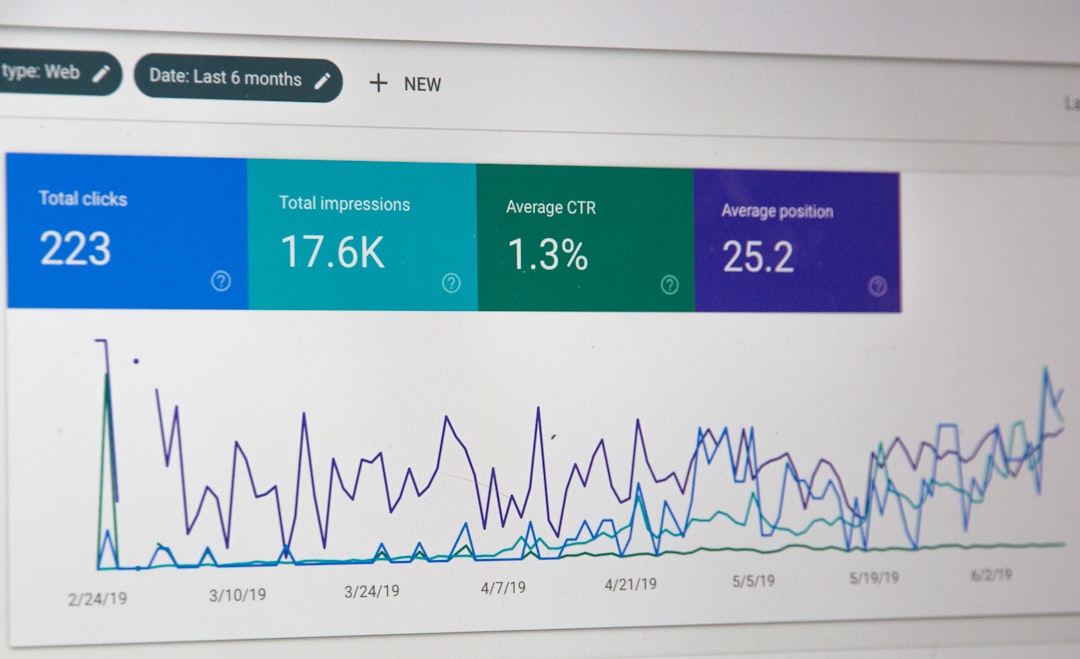
- Review GBP insights. Track discovery searches, calls, website clicks, and direction requests before and after changes.
- Wait before judging. Category changes may need several weeks to show a clear pattern.
How Often Categories Should Be Reviewed
Most businesses should review categories at least twice a year. Businesses that add services, change their main focus, or open new locations should review sooner. A seasonal business may also need extra care, though frequent category switching can create messy data.
Honestly, it feels like Google could make category testing easier. A category update can take seconds, yet reading the impact may take weeks. Owners often expect instant movement, then undo the change too soon. That can ruin the test.
A clean test should use a clear date, a short note about the change, and a 30 to 60 day review window. Calls, rankings, and impressions should be checked together. A rise in impressions with no calls may mean the category is too broad. A smaller impression count with more calls may be a win.
FAQ
What is the most important Google Business Profile category?
The primary category is the most important one. It should describe the main service or business type as accurately as possible.
Can secondary categories improve rankings?
Secondary categories can support relevance for related searches. They work best when they match real services, website content, and customer demand.
How many categories should a business use?
A business should use only the categories that accurately describe major services. There is no need to fill every available slot.
Can the wrong category hurt visibility?
Yes. A vague or inaccurate category can reduce relevance for high-intent local searches. It may also attract poor-quality impressions.
Should a business copy competitor categories?
Competitor categories can provide clues, but copying is risky. The best category depends on the business model, strongest services, location, and customer intent.
How long does it take to see results after changing categories?
Many businesses need 30 to 60 days to see a reliable pattern. Some changes appear sooner, but quick spikes or drops should not be judged too early.