Mailchimp is usually the better reporting choice for ecommerce teams and broad marketing programs, while Campaign Monitor is stronger for clean campaign readouts, client-friendly reports, and teams that want fewer distractions. Benchmarks matter because a “good” campaign is rarely obvious in isolation; Mailchimp reports an average email open rate of 34.23% across its benchmark data [source: Mailchimp].
TLDR: Choose Mailchimp if you need revenue tracking, audience behavior, automation reporting, and ecommerce attribution in one place. Choose Campaign Monitor if you want cleaner campaign reports that are easier to share with clients or non-technical managers. For example, a store sending 50,000 monthly emails might care most about a 3.1% click rate and $8,400 in tracked sales, which points toward Mailchimp; an agency sending monthly newsletters for 12 clients may value Campaign Monitor’s simpler report layout more.
What both tools measure well
Both Mailchimp and Campaign Monitor cover the basics you expect from newsletter reporting. You get opens, clicks, bounces, unsubscribes, spam complaints, top links, device data, and subscriber activity. You can see which links got attention and which subject lines fell flat.
That said, the tools feel very different once you start checking results every week. Mailchimp gives you more layers. Campaign Monitor gives you less clutter. Neither is perfect. Honestly, it feels like both tools make you click one screen too many when all you want is a fast answer to, “Did this newsletter work?”
Mailchimp reporting: more data, more depth
Mailchimp’s reporting is built for marketers who want to connect email activity to business results. Its strongest reporting features include:
- Revenue reports for connected stores such as Shopify or WooCommerce.
- Click maps that show which parts of an email pulled attention.
- Audience growth reports for signups, unsubscribes, and source tracking.
- Customer journey reports for automated email sequences.
- Comparative reports on higher-tier plans.
- A/B test reports for subject lines, content, and send timing.
The biggest point in Mailchimp’s favor is attribution. If your email led to purchases, you can usually see revenue tied to that campaign. This matters for ecommerce. A newsletter with a modest 22% open rate may still be a winner if it brings in $3,200 from a product block near the bottom.
Mailchimp also does a good job showing subscriber-level behavior. You can inspect a contact and see past opens, clicks, tags, purchases, and activity. This helps when segmenting engaged readers or building reactivation campaigns.
The annoying part? Reporting screens can feel busy. Expect to waste time on small checks if your account has many audiences, journeys, tags, and stores. A simple campaign review can turn into a five-tab hunt.
Campaign Monitor reporting: cleaner and easier to read
Campaign Monitor feels more polished when the job is newsletter review. Its campaign reports are clean, visual, and easy to share. For many teams, that is enough.
Its strongest reporting features include:
- Snapshot campaign reports with opens, clicks, bounces, and unsubscribes.
- Worldview reporting to show where readers opened emails.
- Link activity reports for measuring content interest.
- Client-friendly exports for agencies and consultants.
- Automation reports for journeys and triggered campaigns.
- Subscriber engagement data for list health checks.
Campaign Monitor is especially good when reporting needs to be understood by people who do not live inside marketing software all day. A manager can open a report and see the story fast. Open rate. Click rate. Top links. Unsubscribes. Done.
That simplicity can also be limiting. If you want deep revenue attribution, layered customer profiles, or advanced segmentation tied to reporting, Mailchimp tends to give you more to work with. Campaign Monitor can connect with analytics and ecommerce tools, but the native reporting often feels lighter.
Which tool is better for open and click tracking?
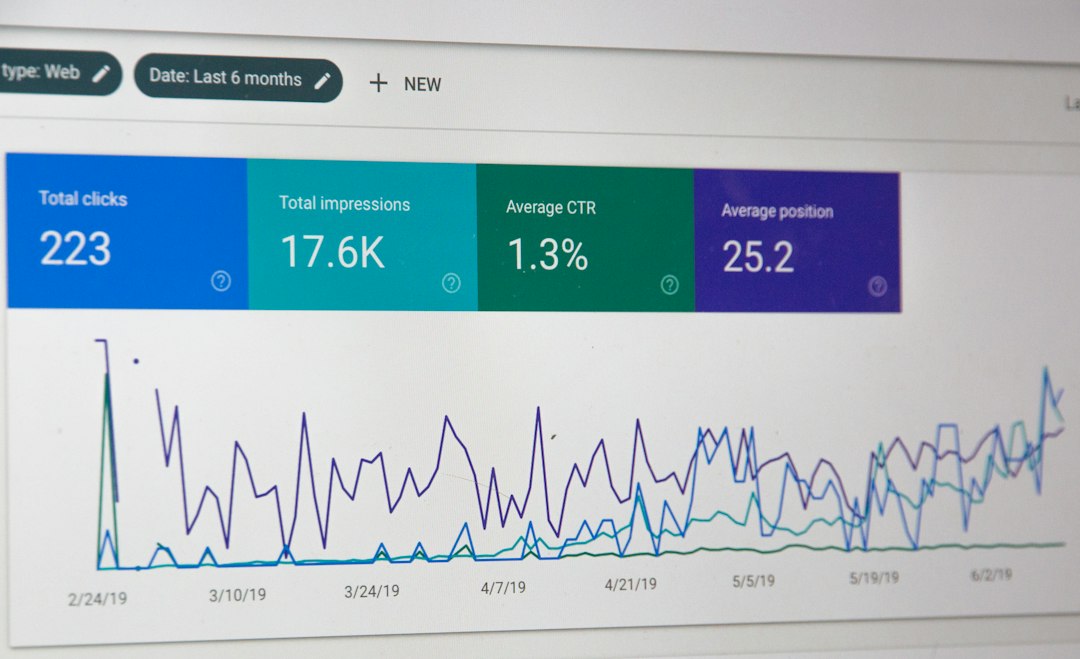
For standard open and click tracking, both tools are solid. The difference is presentation.
Campaign Monitor wins for readability. It is easier to scan. Reports feel calmer. If you send one or two newsletters a month, that matters. You can spot your best link, compare open and click rates, and move on.
Mailchimp wins for analysis depth. You can connect clicks to segments, purchases, tags, and automation paths. That makes it better when a click is not just a click. It might be a buying signal, a product interest, or a trigger for another email.
Which is better for ecommerce reporting?
Mailchimp is the stronger pick for ecommerce reporting. It offers better native tools for tracking orders, revenue, product performance, and customer value when your store integration is set up well.
For example, a clothing brand might send a sale newsletter to 80,000 subscribers. Mailchimp can show that the email had a 29% open rate, a 4.4% click rate, and $18,750 in attributed sales. That gives the marketing team a clear reason to repeat or revise the offer.
Campaign Monitor can still work for ecommerce, especially if you use outside analytics. But if sales reporting is central to your weekly review, Mailchimp usually gets you closer without extra setup.
Which is better for agencies?
Campaign Monitor has long appealed to agencies because its reports are easy to hand to clients. The visual style is tidy. The data is not buried. A client can understand campaign performance without a 30-minute explanation.
If an agency manages newsletters for restaurants, schools, nonprofits, or local service firms, Campaign Monitor may be the better fit. Those clients often care about simple questions:
- How many people opened the email?
- Which story or offer got the most clicks?
- Did unsubscribes stay low?
- Did the list grow this month?
Mailchimp can serve agencies too, but its broader feature set may create noise. It drives me crazy that a clean monthly report can feel harder to assemble than it should when the account has multiple audiences and automations.
Automation reporting: Mailchimp has the edge
Automation reporting is where Mailchimp pulls ahead. Its customer journey reports help you review performance across a sequence, not just one email. You can see where people enter, where they drop off, and which emails generate clicks or sales.
Campaign Monitor also reports on automated journeys, and it does so clearly. But Mailchimp gives marketers more room to test behavior-based flows. Welcome series, abandoned cart emails, post-purchase follow-ups, and win-back campaigns are easier to evaluate when reporting connects to audience and revenue data.

Data exports and sharing
Both platforms allow exports, but Campaign Monitor feels better for neat sharing. Its reports are more presentable right away. Mailchimp has more raw material, but you may need to clean it up before showing it to leadership.
If your team uses dashboards in Looker Studio, Tableau, or spreadsheets, check integrations before choosing. Mailchimp’s larger ecosystem can help here. Campaign Monitor may need more connector work depending on your reporting stack.
Best choice by use case
- Small business newsletter: Campaign Monitor, if you want quick reporting and less noise.
- Ecommerce brand: Mailchimp, because revenue tracking matters.
- Agency reporting to clients: Campaign Monitor, thanks to cleaner presentation.
- Growth marketing team: Mailchimp, especially for segmentation and automation analysis.
- Content publisher: Either works, but Campaign Monitor is easier for editorial-style reports.
Final recommendation
Pick Mailchimp if email is tied to sales, automation, customer behavior, and frequent testing. Its reports are deeper, even if the interface can feel crowded.
Pick Campaign Monitor if you value speed, clarity, and attractive campaign summaries. It is the better reporting tool when your main goal is to understand newsletter performance without digging through layers of data.
The smartest choice depends on what you measure after every send. If the key question is “How much money did this email make?”, Mailchimp is the safer bet. If the key question is “What did readers click, and how do we explain it fast?”, Campaign Monitor is hard to beat.